How to Add a Lorcana Decklist to Wants
How to Add a Decklist to Wants
Create a New Wants List
Follow the instructions here to create a new wants list.
Paste Your Deck List in the Field
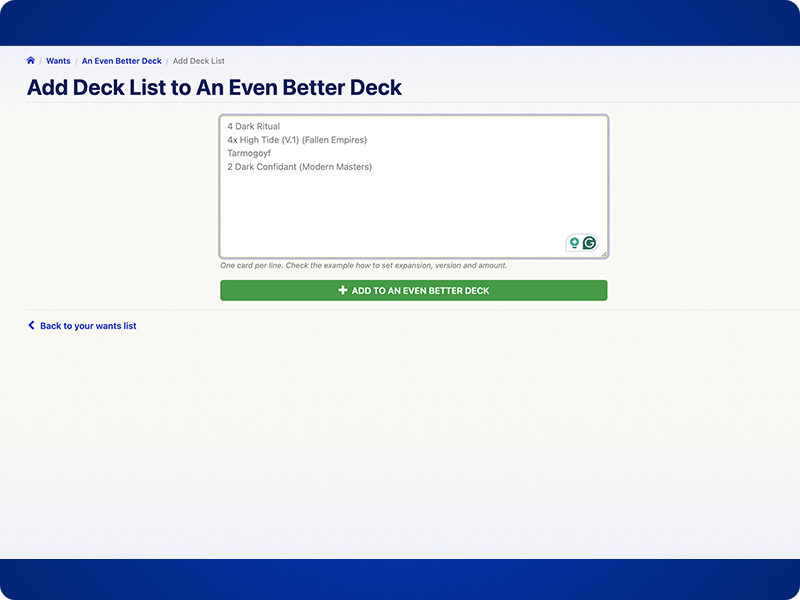
Press the Green "Add" Button
One Card Per Line
Here are three examples that show how wants list entries can be made in Lorcana. Please note that you can mix and match these examples, provided you only use one example of each table column.
Messages After Adding Cards to Wants
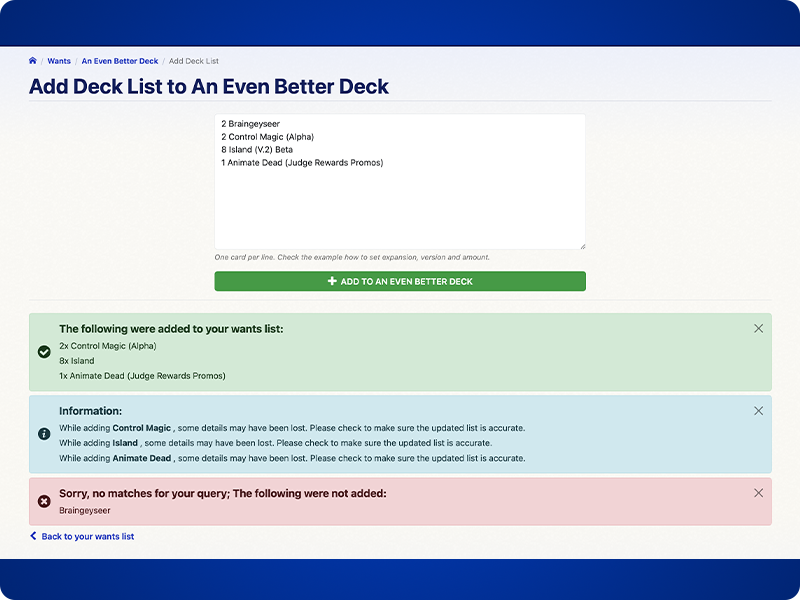
After adding a decklist a message will appear. There are three types of messages:
 : The following were added to your wants list: lists cards that were added to wants list
 : Sorry, no matches for your query; The following were not added: cards that couldn't be added, please check spelling, formatting etc.
 : Information: a card has been added already, make sure your specific version was added to the list